A Tsurito guide · Automatic data publishing
Your website keeps itselfup to date.
You give permission once and choose how the data arrives. From then on, the menu, the news or the results change without you going in to publish them.
Only the data your website already shows changes. The design always waits for you to press.
- A chat
- A key
- A spreadsheet
- Menu of the dayLentil stewPumpkin soup
- NewsAutumn festivalMarket on Saturday
- ResultsClub 1 – 1Club 3 – 1

The three ways
Choose how your data arrives
All three do the same thing: they bring your website’s data up to date without you going in. What changes is who brings it.
- AAvailable today
Your assistant brings it
Your Claude or your ChatGPT reads your data when you tell it to, every morning or every week, and publishes it.
See how it works - BVery soon
Your tool sends it
One key per website, so the tool where you already keep the data sends it by itself.
For technical profiles
See how it works - CComing soon
Your spreadsheet leads
You link a spreadsheet once and the website follows it. No assistant and no other tool.
See how it works
Two or three questions
Which one is mine?
Answer and the card that suits you lights up.
Do you have a paid Claude or ChatGPT?
Yours is way A: “Your assistant brings it”. It is available today.
See how it worksDoes your data already come out of another program, or does your company not let you connect an assistant?
Yours is way B: “Your tool sends it”. It is coming very soon and it is for technical profiles: if that is not you, whoever looks after your website, such as a freelancer or your agency, can set it up for you.
See how it worksDo you only have a spreadsheet?
Yours is way C: “Your spreadsheet leads”. It is coming soon.
See how it works
None fits yet. To start, it is enough to have your data in a spreadsheet: that is all way C asks for.
True for all three
What stays the same, whichever you choose
Only data your website already shows
Texts, lists, links, pictures, the announcement bar, the contact details, and one more page of a kind the website already has, such as another news item. The design, new sections and the structure always wait for you to press.
You turn it on, website by website
In your website’s settings. You can pause it or turn it off whenever you like.
Tsurito checks it looks right
Before publishing, it checks the website still looks right. It does not check whether the data is correct: that is up to you.
Each publish is a version
Marked “Automatic”. If you go back to an earlier version, automatic publishing pauses.
At most 4 a day
Up to 4 automatic publishes a day per website.
We let you know by email
If something could not be published. If you like, also when something is published or when the data has not arrived for a while.
On a free website too
With one warning: a free website keeps a single version, so you cannot go back.

Your assistant brings it
Your Claude or your ChatGPT reads your data when you tell it to, every morning or every week, and publishes it on your website.
Connect Tsurito to your assistant
You do it once. The connector guide explains it step by step, in Claude and in ChatGPT.
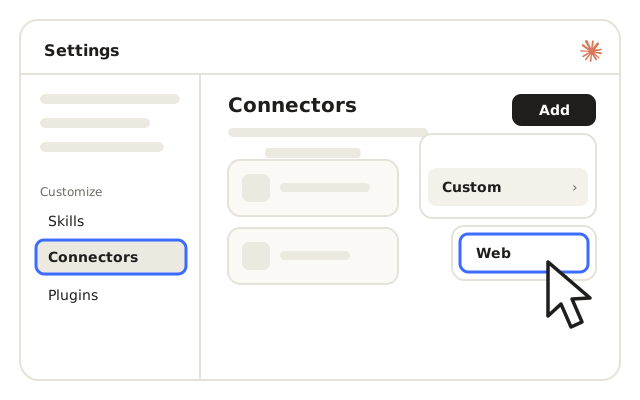
Turn on the permission on your website
In your website’s settings, turn on Automatic data publishing. It is per website: the others stay as they are.

Create the task in your assistant
Ask it for a task that repeats whenever you want: every morning, every week.
Tell it what data to read
Where it is and which part of your website it fills. For example: “read the new news items in the News folder and publish them in the website’s news list”.
Not connected yet? Start with the connector guide: in a few steps your assistant can work with your website.
Example · A residents’ association
Every morning, its Claude publishes the news
The association keeps its news in a folder. One conversation with Claude and, from then on, new news items appear on the website by themselves.
Claude + TsuritoEvery morning, read the new news items in the “Association news” folder and publish them on the association’s website.
Done, I have created the task. Every morning I will read the folder and add the new items to the news list.
If there is nothing new one day, change nothing.
All right. I will only publish when there is new news.
What did you publish today?
One news item: “Swap market in the square on Saturday”. It is on the website, in a version marked “Automatic”.

Your tool sends it
Coming very soon. One key per website, so the tool where you already keep the data sends it by itself. It is for people with a somewhat more technical profile, such as a freelancer or an agency.
Create the key in your website’s settings
Each website has its own.
Copy it: it is shown only once
Keep it like a password. If you need to, you can revoke it at once.
Your tool sends the data with that key
You put it in your tool, and the tool sends the data whenever you have it set up to.
Nothing connects to your accounts
Only what your tool sends arrives. That is why it works in companies where an assistant cannot be connected.
And the address and format of what is sent? The full guide will come when it is available.
Example · A sports club
The weekend’s results, on the website on Sunday night
When it is available, the club’s management program will be able to send the weekend’s results to the website every Sunday night, with its website’s key.
The key only opens the data door. The design door stays shut.
# PowerShell, every Sunday night
$key = "your website's key"   # keep it like a password
$data = Import-Csv "results.csv"
# Send $data to Tsurito with $key
# The full guide will come when it is available.Your spreadsheet leads
Coming soon. You link a spreadsheet once and the website follows it. No assistant and no other tool.
Paste your spreadsheet’s public link
Only once. The file must be viewable through a public link.
Say which column fills what
With your assistant’s help, you say once which column fills which field of a list on your website. For example: column A is the course and B, the dish.
And the website follows your spreadsheet
From then on it updates when you press “Update data”, or by itself, with one check a day that only publishes if the spreadsheet has changed.
Important: the file must be viewable through a public link. If only you can open it, the website cannot follow it.
Example · A restaurant
The menu of the day, from the spreadsheet to the website
When it is available: the restaurant keeps its menu of the day in a spreadsheet. In the morning it changes three cells and the website has the new menu, when it presses “Update data” or by itself with the day’s check.
The spreadsheet’s rows turn into the website’s dishes.
All three together
Compare them at a glance
| Your assistant brings itAvailable today | Your tool sends itVery soon | Your spreadsheet leadsComing soon | |
|---|---|---|---|
| Who it is for | People who already use a paid Claude or ChatGPT. | Technical profiles: a freelancer, an agency, or a company where an assistant cannot be connected. | People who keep their data in a spreadsheet. |
| What you need | Claude on a paid plan, or ChatGPT on a plan that allows unattended tasks. | Your website’s key and a tool that can send data over the internet. | A Google Sheets, Excel, CSV, JSON or RSS file with a public link. |
| Who brings the data | Your assistant, with the task you create. | Your tool, with the key. | Your website, which follows your spreadsheet. |
| When it updates | When you tell it to: every morning, every week… | When your tool sends the data. | When you press “Update data”, or by itself with one check a day, if the spreadsheet has changed. |
| Status | Available today | Very soon | Coming soon |
Your assistant brings itAvailable today
- Who it is for
- People who already use a paid Claude or ChatGPT.
- What you need
- Claude on a paid plan, or ChatGPT on a plan that allows unattended tasks.
- Who brings the data
- Your assistant, with the task you create.
- When it updates
- When you tell it to: every morning, every week…
- Status
- Available today
Your tool sends itVery soon
- Who it is for
- Technical profiles: a freelancer, an agency, or a company where an assistant cannot be connected.
- What you need
- Your website’s key and a tool that can send data over the internet.
- Who brings the data
- Your tool, with the key.
- When it updates
- When your tool sends the data.
- Status
- Very soon
Your spreadsheet leadsComing soon
- Who it is for
- People who keep their data in a spreadsheet.
- What you need
- A Google Sheets, Excel, CSV, JSON or RSS file with a public link.
- Who brings the data
- Your website, which follows your spreadsheet.
- When it updates
- When you press “Update data”, or by itself with one check a day, if the spreadsheet has changed.
- Status
- Coming soon
Frequently asked questions
What people ask most
Short answers, for all three ways.
Can it change my design?
No. Only data of what your website already shows goes out. The design, new sections and the structure always wait for you to press.
What if the data is wrong?
Tsurito checks that the website still looks right, but it does not check whether the data is correct: that is up to you. If something you did not want gets published, go back to an earlier version and automatic publishing pauses. On a free website you cannot go back, because it keeps a single version.
How do I stop it?
In your website’s settings: you can pause it or turn it off whenever you like.
Does it cost anything extra?
No, it is included. For way A you do need your own Claude or ChatGPT plan.
Can I use two ways on the same website?
Yes, they can be combined. The limit of 4 automatic publishes a day is per website, all of them together.
Starting with your assistant?
Way A is already available. First connect Tsurito to your Claude or your ChatGPT with the connector guide. And if you don’t have Tsurito on your computer yet, download it.